Train your peripheral vision.
In 5 minutes a day. No streaks, no dopamine traps, no data. Read faster, see more.
Three grids. One practice.
- 3×39 cells
Sharp, quick focus. The starting point.
- 4×416 cells
Peripheral load grows. Real training.
- 5×525 cells
The standard. Where most people land.
The Schulte table is a 100-year-old exercise. What it trains, and what it doesn't, is more interesting than the marketing suggests.
Tap numbers in order. That's it.
A grid of numbers appears on screen. You find and tap them in sequence — 1, 2, 3, 4 — as fast as you can. The smaller the grid, the more you rely on your foveal vision. The larger the grid, the more your peripheral vision has to do the work. The point of the practice is the latter: training your eyes to take in more, with fewer saccades.
Most people start at 3×3 (9 cells) and work up. The 5×5 grid is the original, traditional challenge.
Track your practice, not your streak.
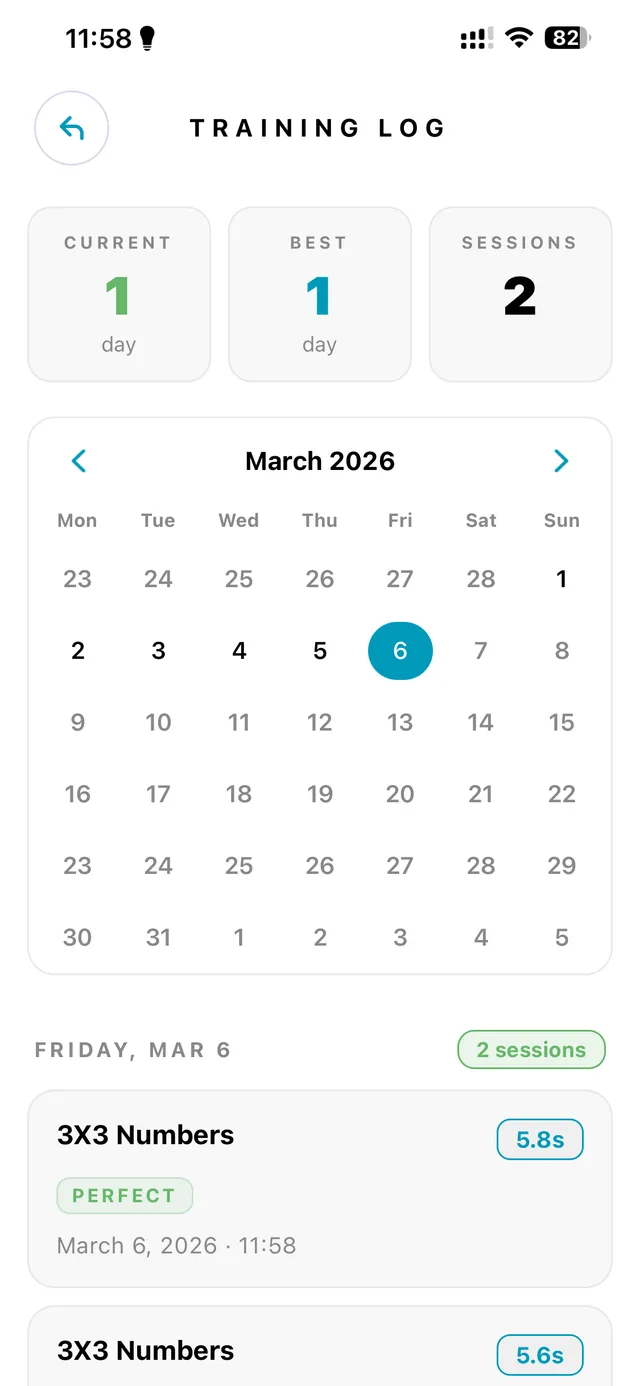
You get session history with per-grid timing, a calendar that shows what you did and when, and a per-session accuracy breakdown. What you don't get is a streak counter. A practice that punishes you for missing a day is not a practice — it's a hostage situation. The app tracks what you did. It doesn't scold you for taking Tuesday off.
Aim for consistency, not adherence. Five minutes a day beats thirty minutes once a week.
Your data stays on your phone.
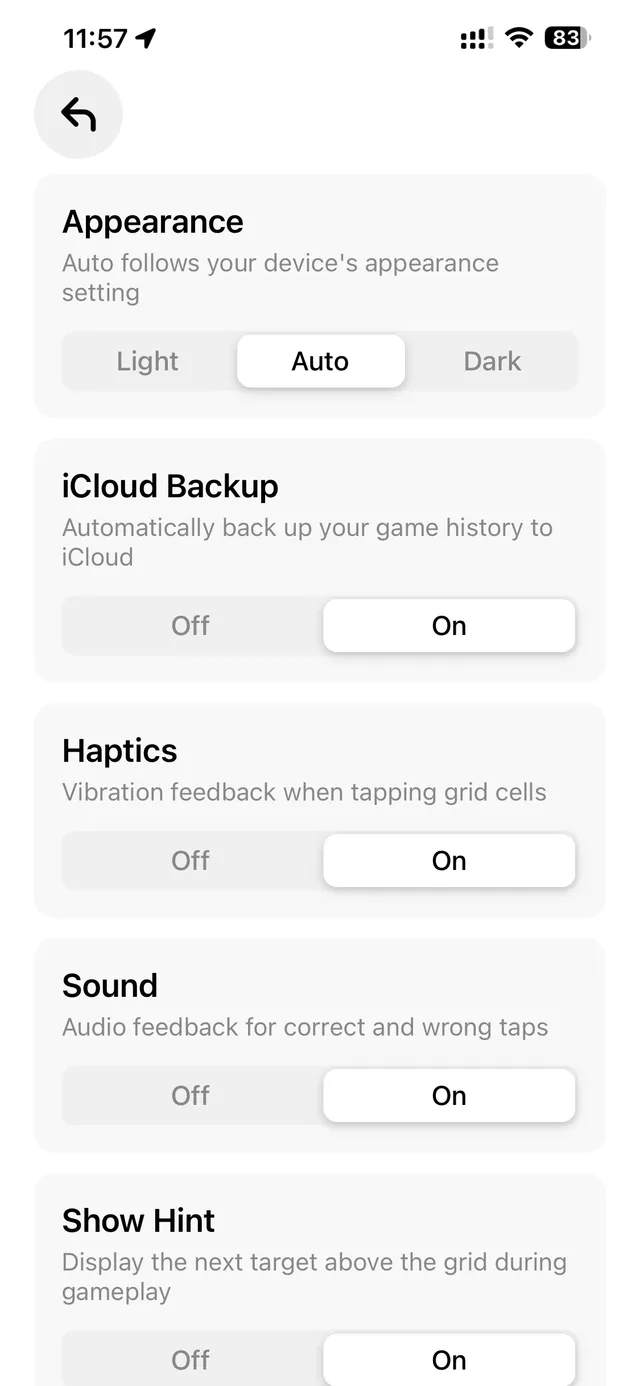
No accounts. No servers. No analytics. No "anonymous usage data" that is, of course, not anonymous. Your session history lives in an embedded database on the device. On iOS you can optionally sync to your own iCloud. On Android, your cloud provider of choice. Uninstall the app and the local data is gone.
This is not a feature we can toggle off in an enterprise plan. It is how the app is built.
Three grids. All of them included.
Every grid is available from your first session. No paywall on the harder ones.
Quick, sharp, intense focus to find 9 numbers. The starting point.
16 numbers. Pushes peripheral vision. A solid stepping stone.
The standard Schulte experience. 25 elements demanding true central fixation.
Free to start. One payment to remove the daily cap.
All three grids, all game modes (Classic, Shuffle, Reverse, Twisted), full session history — yours from session one. The only thing the daily cap does is keep the practice honest.
Free
$0forever
- All three grids (3×3, 4×4, 5×5)
- All game modes (Classic, Shuffle, Reverse, Twisted)
- Dark and light themes
- Session history and calendar
- Data stored on your device
- Three sessions per day
Premium
One-timeunlock
- Everything in Free
- Unlimited daily sessions
- Direct support from the developer
Buy once inside the app. No account required.
Questions, mostly pre-empted.
What is the Schulte Table?
The Schulte Table is a cognitive exercise used to train peripheral vision, attention, and speed reading. It's a grid of numbers (or letters) arranged in random order — your goal is to find and tap them in sequence as quickly as possible. The original 5×5 version was developed by German psychologist Friedrich Schulte in the 1960s, building on earlier work by Maximilian Ringelmann and others.
How does Schulte Table Game help me?
Regular practice trains your peripheral vision so you take in more information with fewer eye movements. This directly improves reading speed, focus, and visual attention — skills that benefit studying, work, and everyday life. The practice is also a quiet, repeatable way to develop sustained attention without gamification tricks like streaks or nag notifications.
What grid sizes are available?
The app offers three grid sizes: 3×3 (9 cells) for beginners, 4×4 (16 cells) for an intermediate challenge, and 5×5 (25 cells) for the standard Schulte experience. You can also choose between number and letter grids, giving you a wide variety of training combinations.
How long should I train each day?
Five to ten minutes of daily practice is enough to produce noticeable improvements in peripheral vision and reading speed within a few weeks. Consistency matters more than session length. The app is designed to make short, focused sessions feel complete — there is no daily nag, no streak pressure, no requirement to grind.
What game modes are included?
All three grids ship with every game mode from session one: Classic (find 1, 2, 3...), Shuffle (numbers placed randomly), Reverse (find them backwards), and Twisted (a harder variant). Dark and light themes are also available, with both designed to be easy on the eyes for evening or early-morning practice.
Is the app a one-time purchase?
Yes. Schulte Table Game is a one-time purchase — no subscriptions, no hidden fees, no in-app currency. Pay once and own it forever. Premium is the only paid tier; the Free tier gives you the full app with a three-sessions-per-day cap, and Premium removes that cap.
Is my data private?
Absolutely. Your game data and progress stay entirely on your device. There are no accounts, no third-party servers, and no analytics SDKs. On iOS you can optionally sync to your own iCloud; on Android you can back up to any cloud provider you already use. Uninstall the app and the local data is gone. This is not a marketing claim — the app is fully playable on airplane mode.
Can I play Schulte Table Game offline?
Yes. The game is 100% playable offline without any internet connection (premium). The app does not need to phone home to validate the purchase, load content, or sync progress. You can train anywhere — on a plane, on a train, in a basement, in a country with no data plan.
What devices are supported?
Schulte Table Game is available for iPhone and iPad (iOS 16+) as well as Android phones and tablets (Android 9+). It is optimized for all modern Apple and Android devices and adapts to any screen size — phone, tablet, or foldable.
How do I get a refund?
Refunds are handled directly by Apple and Google. On iOS, visit reportaproblem.apple.com to request a refund. On Android, request a refund through your Google Play account. We cannot process refunds directly, but the platform procedures are quick and straightforward.